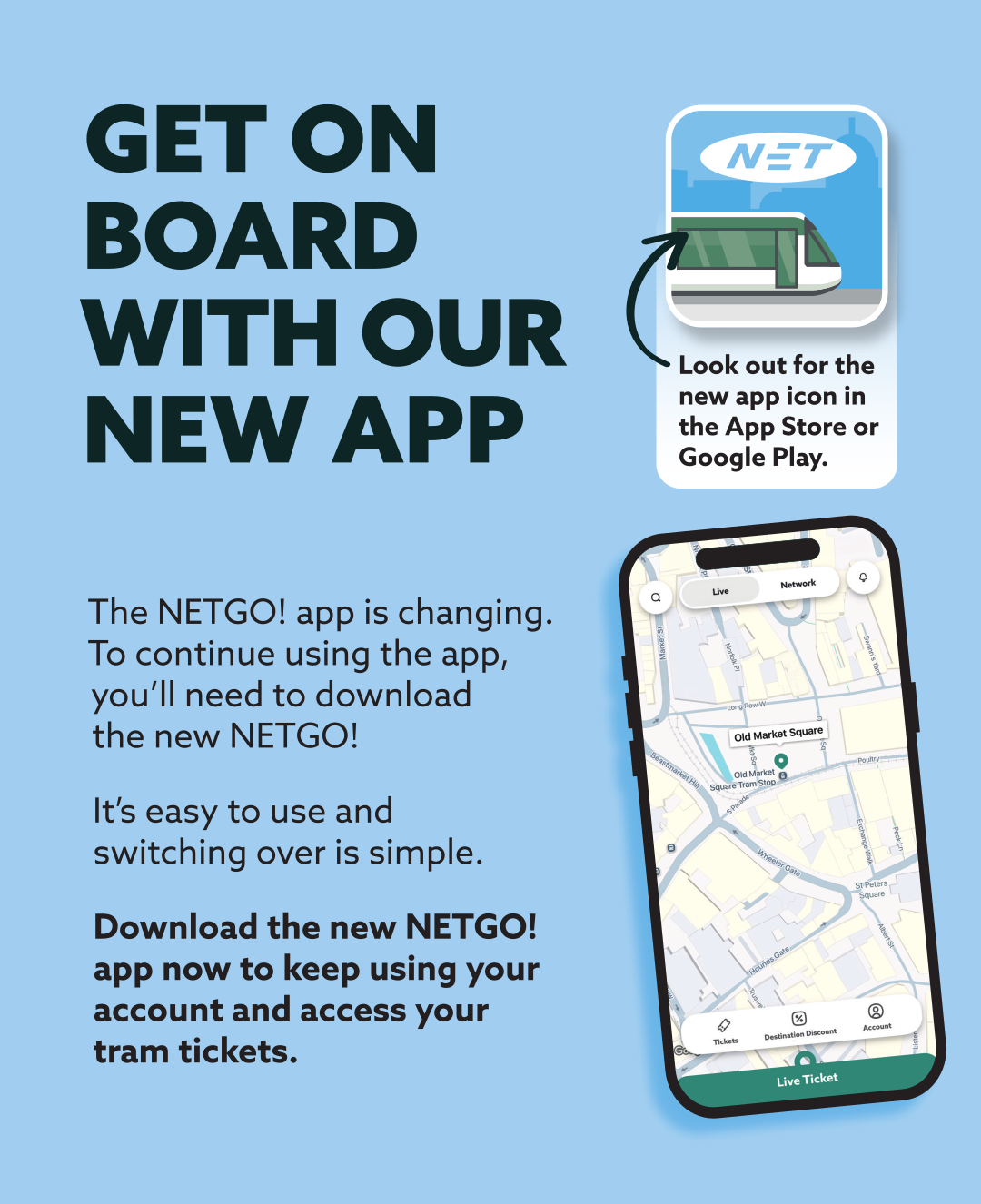
We've launched our new NETGO! App, available now on the App Store and Google Play. The new app will work very similarly to the older version of NETGO! and will have a familiar look and feel, with some additional features.
What's new?
We've launched a new app, which will replace the older version of NETGO!
We've completely rebuilt our app from the ground up, with some new and improved features.
- New tram stop location map - See a map of all of our tram stops across the network, showing your live location. Save your favourite stop and view the latest service announcements.
- Destination Discount - Create an account to view all of the latest offers. Discounts at many businesses and attractions across Nottingham are available to anyone with a valid tram ticket. Destination Discount replaces the older offers and is easily accessible on the main screen, ensuring you don't miss out on any benefits.
- Improved service updates - From time to time, certain events or issues may impact our ability to operate our tram services to all stops or cause delays. To ensure our customers are aware of anything that is impacting our tram services, we've moved our service updates to appear front and centre, ensuring you can see when our services are delayed or disrupted. Updates easily link to further information about any issues or alternative transport available.
- Improved notifications - Receive notifications about your tickets and news on the network. Get notifications reminding you when your ticket is due to expire, so you don't forget to buy your next ticket. Get notifications about any upcoming changes to services, including any planned maintenance or events and stay in the know with information about any special offers on our tickets.
- New ticket available: the NET Concession ticket - If you travel with a concessionary travel card (ENCTS) that was issued outside of Nottinghamshire, you may now benefit from being able to purchase a reduced-price concessionary ticket, previously only available from our ticket vending machines. The inclusion of the concessionary travel ticket will support our customers who may have difficulties using our ticket vending machines, in particular our customers who are blind or partially sighted. Please remember to have your concessionary travel card available when purchasing this ticket.
How do I download the new app?
The app is available now in the Apple App Store and Google Play.
Simply tap on your app store below to go straight to the new app.


Why has the app changed?
We're always considering ways of making improvements to our app, and whilst the new version of NETGO! offers a very similar look and feel that our customers are familiar with, we've introduced some additional features and benefits. We're excited to be working together with a new app developer, with more potential to make further improvements and enhancements in the future to ensure we offer our customers a reliable and useful tool to purchase tram tickets and plan their journey.
The new NETGO! app is not simply an app update; it's an entirely new app. A fresh start!
Don't worry about your current active tickets on the older version of the app; we've got you covered. Simply download the new NETGO! app and log in using the same email address. Once you're logged in, you'll be prompted to move any active tickets over to the new app. Once that's complete, you can remove the older version of the app.
The older version of the app will be removed soon (date TBC), so please don't delay and make the move as soon as possible.
 Out with the old....
In with the new!
FAQs
Q. When will the new NETGO! app be available? A. It's available now. Click on your app store above to download the new app today.
Q. Do I need to create a new account on the new app? A. If you already have a registered account on NETGO! you will simply need to log in using the same email address on the new app. If you have any active tickets, you'll be prompted to move them to the new app. If you've never used NETGO! before or have never previously registered, feel free to sign up as a new user.
Q. Do I need to create an account? A. If you're an occasional user, you may wish to purchase tickets without creating an account. Registering an account will ensure you have access to all of the app's features, including the ability to purchase season tickets, register your vehicle to cover your parking whilst your ticket is active and access Destination Discount.
Q. I have an active season ticket on the older app, but my phone is not compatible with the new app. What should I do? A. If you have an active season ticket but the new app is not compatible with your device, you will need to contact our customer relations team. As the older version of NETGO! will be removed soon (date TBC), we will be able to support you in other ways so you can continue to use your season ticket. Our contact info can be found here.
Q. I have an active season ticket on the older app, but when I've signed into the new app, my season ticket is not showing. What should I do? A. We have copied all existing accounts over from the older app to the new app. If you've recently purchased a season ticket on the older version of the app, then potentially your account information was transferred before you made a purchase. Don't worry, we'll be completing several data moves in the coming weeks, so your ticket will be moved soon. Sign out of the new app and continue using your ticket on the older version. You can try again the following week, and we should have transferred your active ticket. If your ticket is still not showing, you can contact our customer relations team for further support. Our contact info can be found here.
Q. Why can't I see my single or daily tickets I have purchased in the old app when I sign into the new app? A. Only season tickets will be transferred to the new app. If you have just purchased a single, daily or weekly ticket on the older app, continue with the older app until your ticket has expired; then you can continue with the new app moving forward. The older version of NETGO can be removed from your device once you're all set up and ready to start using the new NETGO.
Q. Do I need to keep both versions of the app? A. No, once you have moved over to the new app, you can uninstall the older version of the app.
Q. How do I find my login information on the older app? A. You'll need to log into the new app using your account information from the older version of the app. Your login will be your email address, which was used to sign up on the old app. You can find this information in the old app by clicking 'menu' followed by 'my profile'.
Q. I have signed in to the new app, but it doesn't appear to be working correctly, or there is an error on my season ticket. What should I do? A. If you have noticed an error or a potential app bug, or you believe the expiration date is showing incorrectly, please report this to our customer relations team. Our contact info can be found here.
Q. Can I have my ticket on several devices? A. No, your ticket is locked to your device. Tickets are not transferable to other people or other devices.
Q. Can I purchase tickets for somebody else? A. The tickets are locked to each device. You can purchase tickets for somebody else, but they must be travelling with you at all times. There is currently no function to allow you to transfer tickets to another account/user.
Q. Do I need to have an internet connection to load and show my ticket? A. You only need an internet connection to purchase a ticket. Once you have completed your purchase, you should be able to access your ticket at any time, even without a data connection.
Q. Can I show or share a screenshot of my ticket? A. No, this is strictly forbidden. A valid app ticket is a live ticket which is loaded onto the NETGO! app, which was purchased and loaded onto your device before you boarded the tram. If staff ask to see your tickets, you must be able to load up the NETGO! app and show a live ticket. You may be asked to navigate through the app if the staff suspect any fraudulent activity. Invalid tickets, screenshots of tickets, or tickets which have been purchased after boarding the tram will be treated as fare evasion in line with our penalty fare policies and procedures, and you may be issued with a £120 penalty fare. See our Penalty Fares Page for more information.
Q. Does the new app show live tram timings or locations? A. Not currently. It's a feature we're very keen to introduce, but it's not currently available. Our trams do not operate on GPS, so further development is required to transfer any location data from the systems we use to the app. In the meantime, you can review all of the scheduled tram timings by searching for your stop on the 'My Tram Stop' support pages. You can also review service updates on the new app and via our Service Status Page.
Q. Are the short hop tickets available on the new NETGO! app? A. No, they are not. Short hop tickets are available on our ticket machines. The easiest and cheapest way to purchase a short hop ticket is by tapping on and tapping off within any one of the short hop zones. More information on our short hop tickets can be found here.
Q. I already have a season ticket on the new app, but I need to change devices. What do I need to do? A. The new app has made moving to a new device as easy as possible. Simply log in to the new device with your account information, and you'll be prompted to move the ticket to the new device. Once this is complete, the ticket will only be available on the new device. You may only move your ticket once every 6 months. If you are not able to move your ticket, you can contact the customer relations team for support. Our contact info can be found here.
Was this article helpful?
That’s Great!
Thank you for your feedback
Sorry! We couldn't be helpful
Thank you for your feedback
Feedback sent
We appreciate your effort and will try to fix the article