We've launched our new NETGO! App, available now on the App Store and Google Play. The new app will work very similarly to the older version of NETGO! and will have a familiar look and feel, with some additional features.
You can find out more information about the new app here: The New NETGO! app
The new NETGO app is available now in the Apple App Store and Google Play.
Simply tap on your app store below to go straight to the new app.


How to enter a discount code
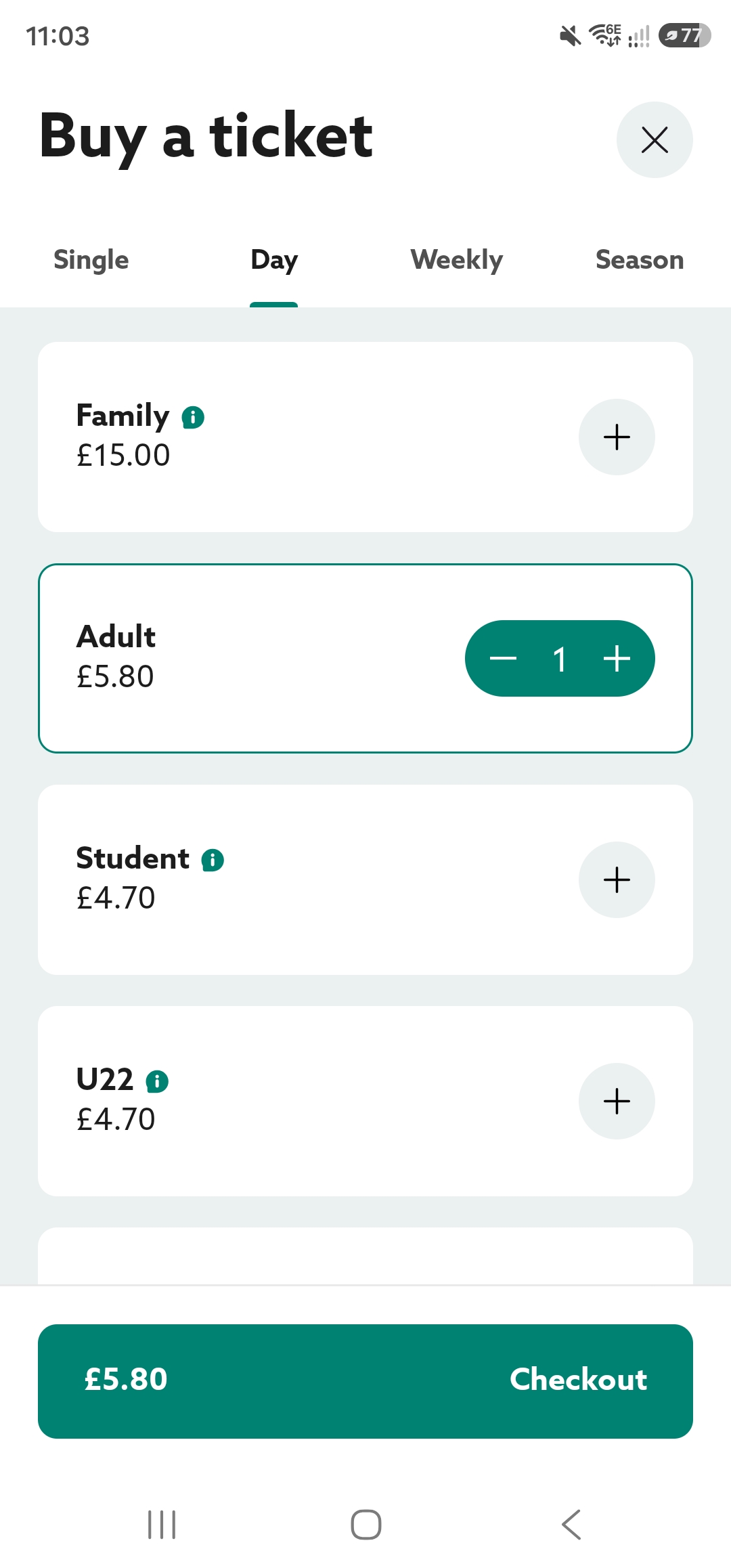
- Load up the app and select 'Tickets'.
- Add the correct ticket you wish to purchase and click 'Checkout'.
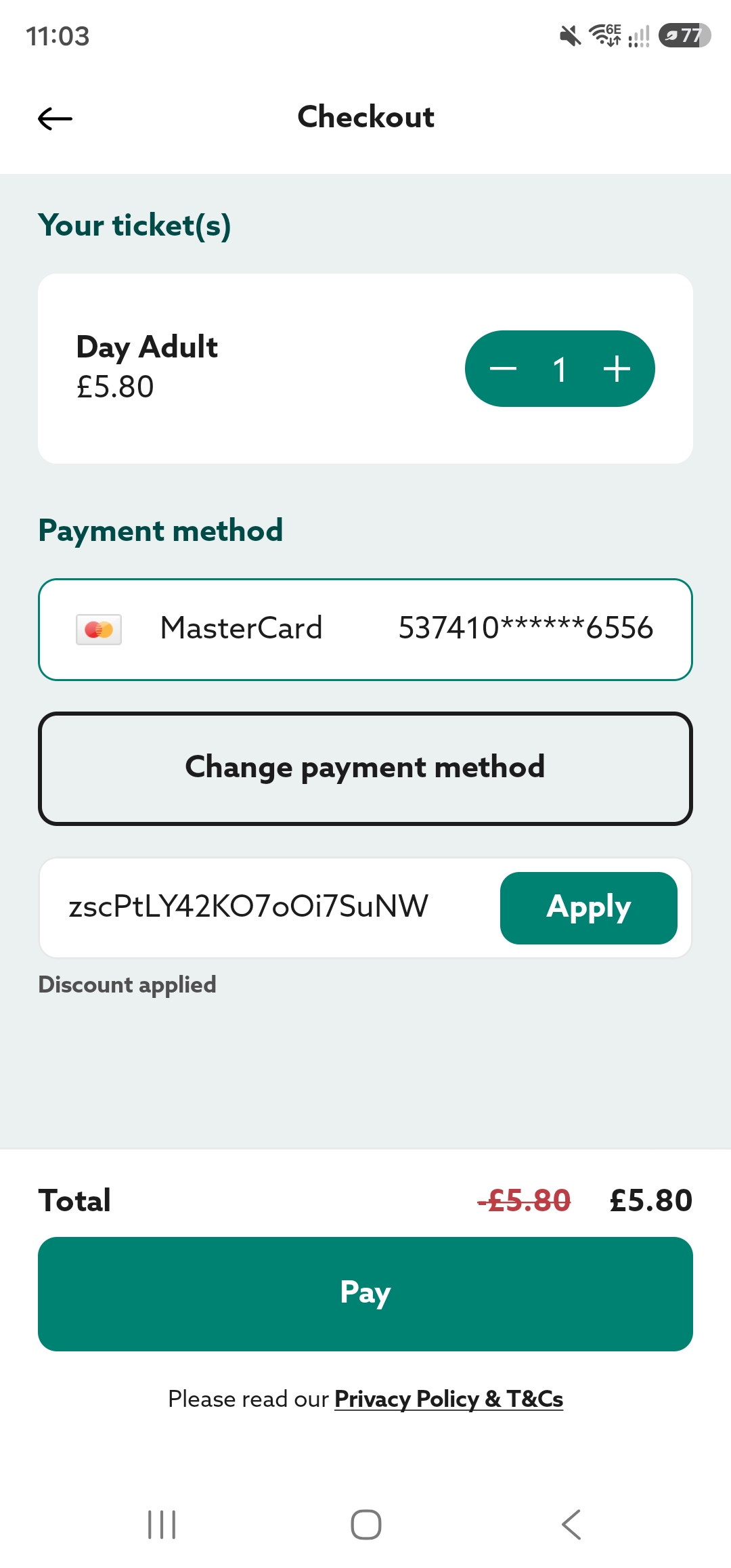
- When you reach the checkout, copy your discount code into the box and click 'Apply'.
- Once the discount has been applied, click 'Pay'.
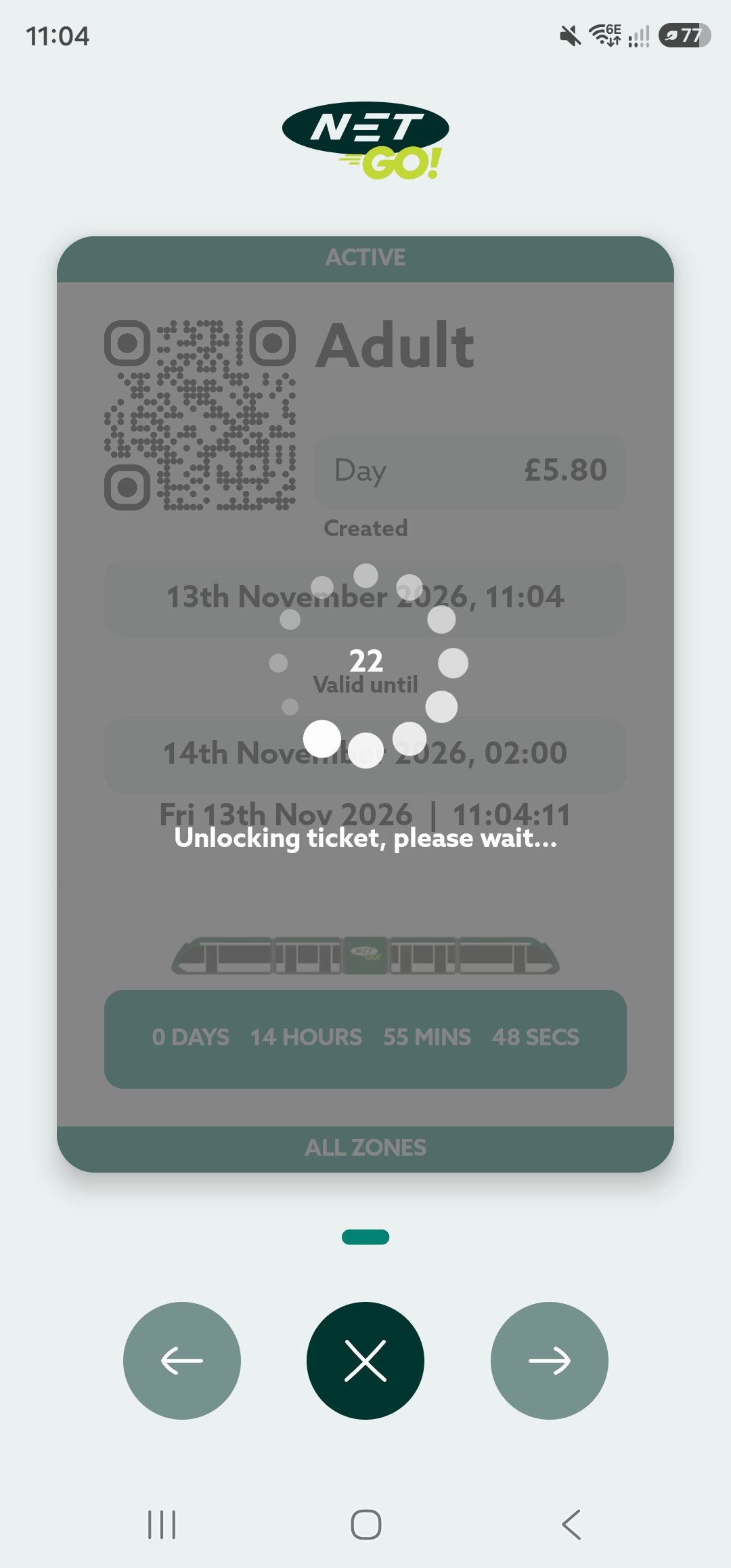
- If your discount code covers the cost of the ticket, your ticket will load, or you will proceed with payment for the remaining balance.
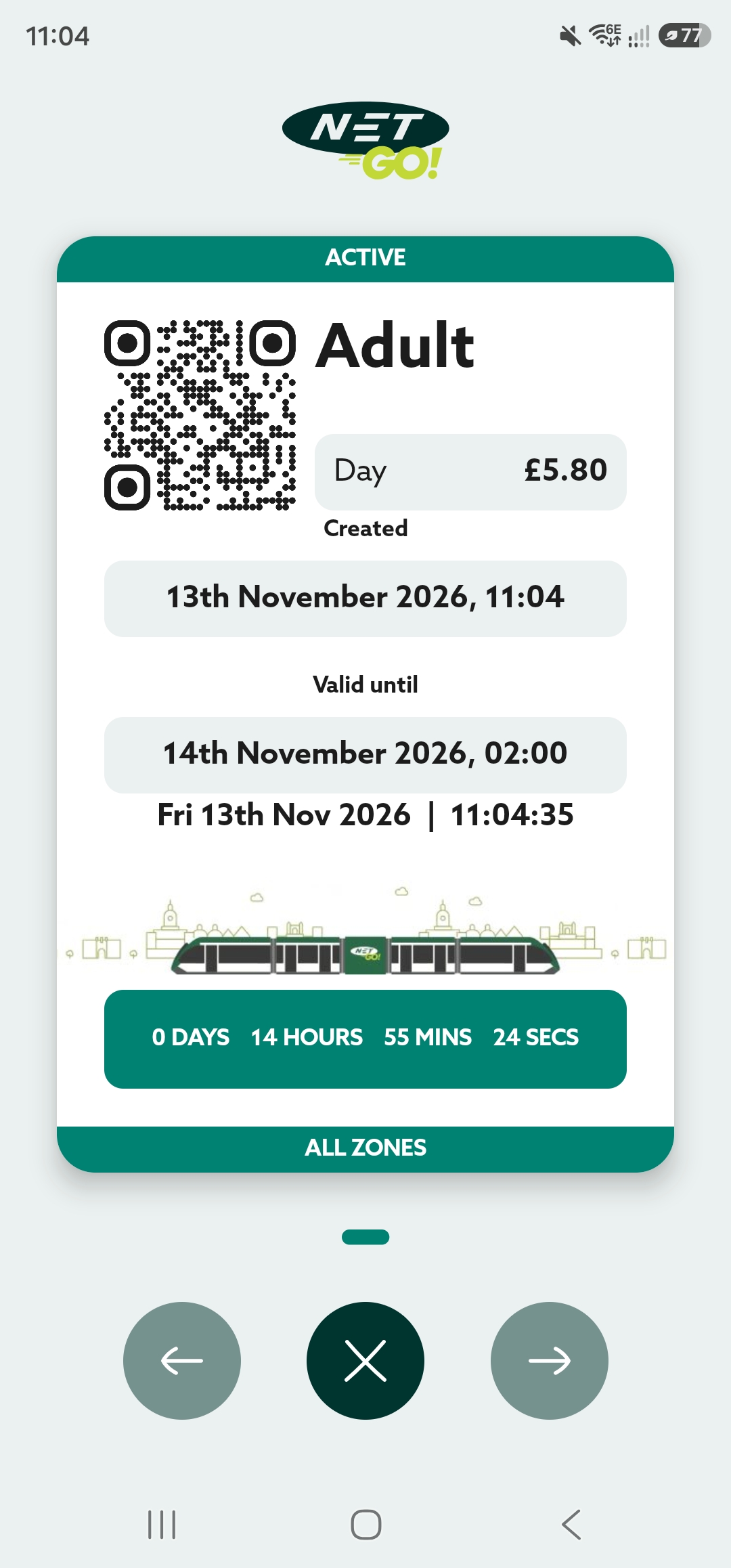
- Don't forget: tickets unlock after 30 seconds. Make sure your ticket is fully loaded before boarding the tram.
See screens below
Was this article helpful?
That’s Great!
Thank you for your feedback
Sorry! We couldn't be helpful
Thank you for your feedback
Feedback sent
We appreciate your effort and will try to fix the article